📣 Top up ฿1,000+ get 5% bonus · ฿3,000+ get 10% bonus

Excel/Sheets Templates

Ready-made templates with formulas for Excel and Google Sheets

เทมเพลต Excel/Sheets

Menu Cost & Profit Template

  • Ingredient unit costs with auto cost per dish
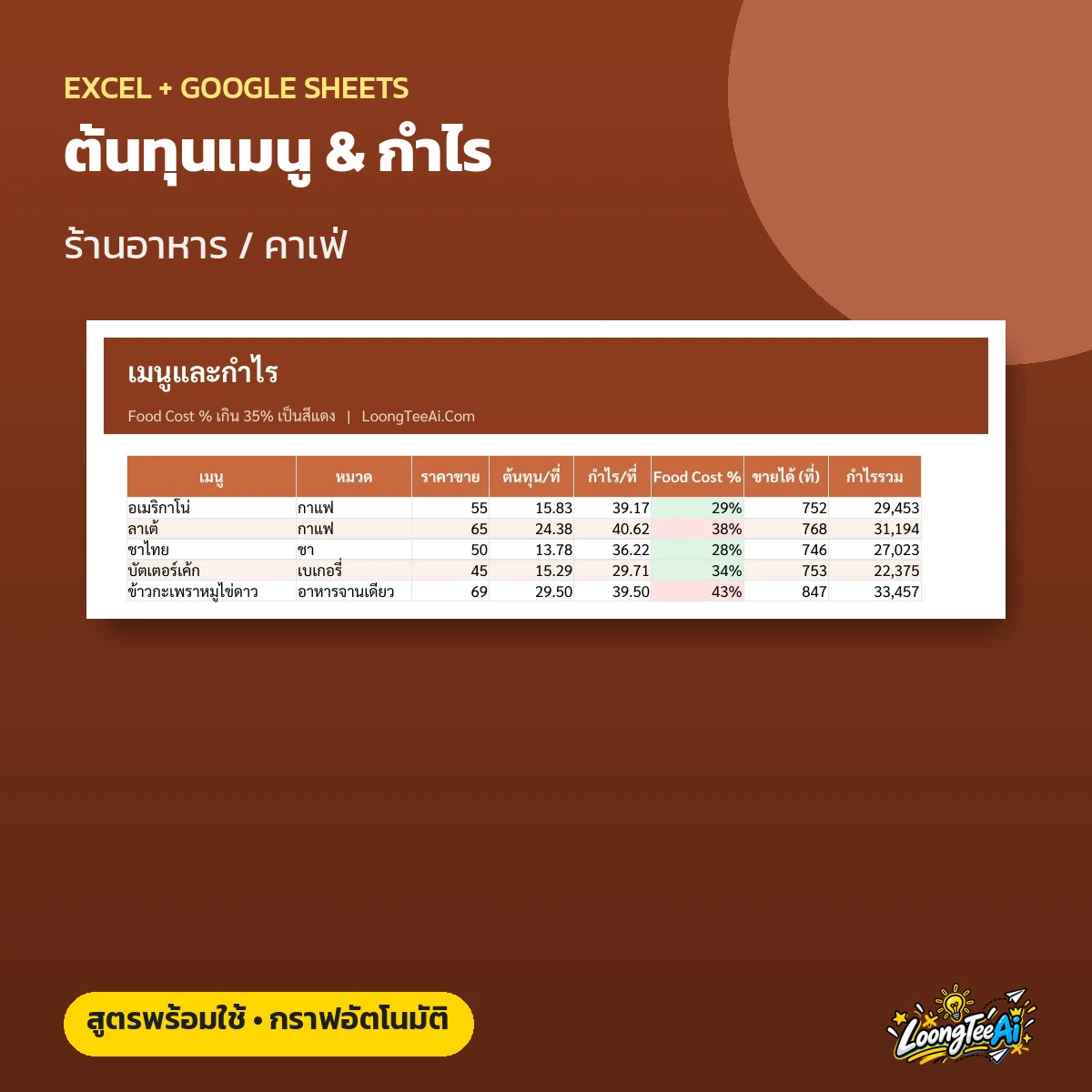
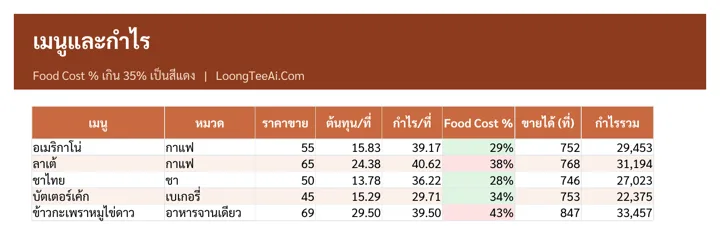
  • Food cost % over 35% shown in red
  • Suggested price from target margin
  • Profit per menu item with charts
฿199Lifetime
 

About this template

A menu costing file for restaurants and cafes. Enter ingredient prices and each recipe, and the file works out cost per serving, profit and food cost %, with a sales log and a dashboard of your top-earning dishes.

Screenshots from the real file

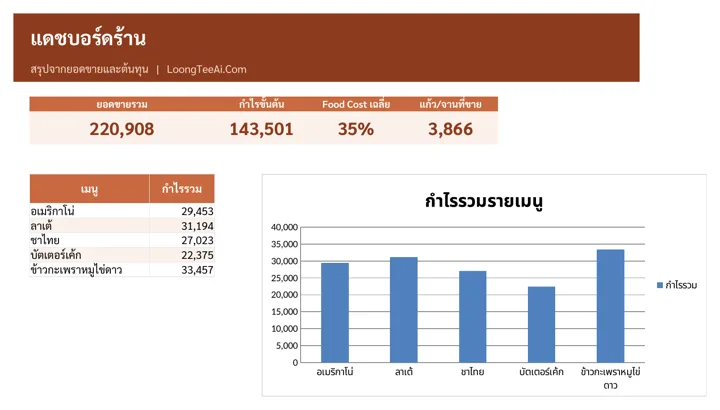
Shop dashboard
Shop dashboard
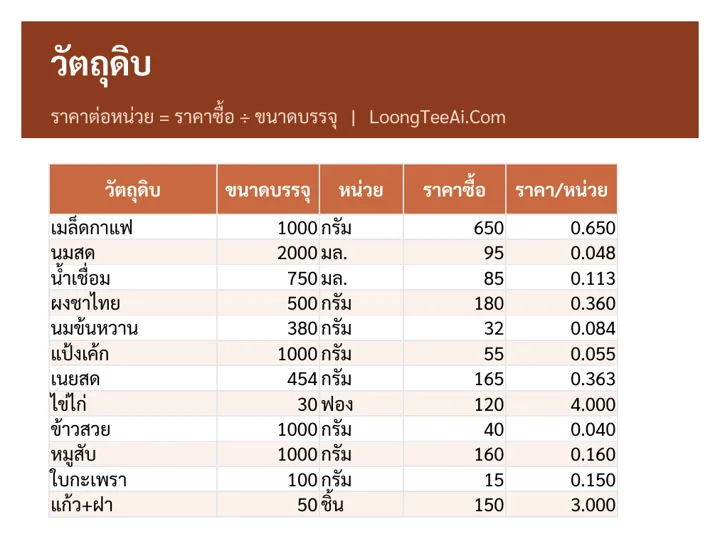
Ingredients and unit prices
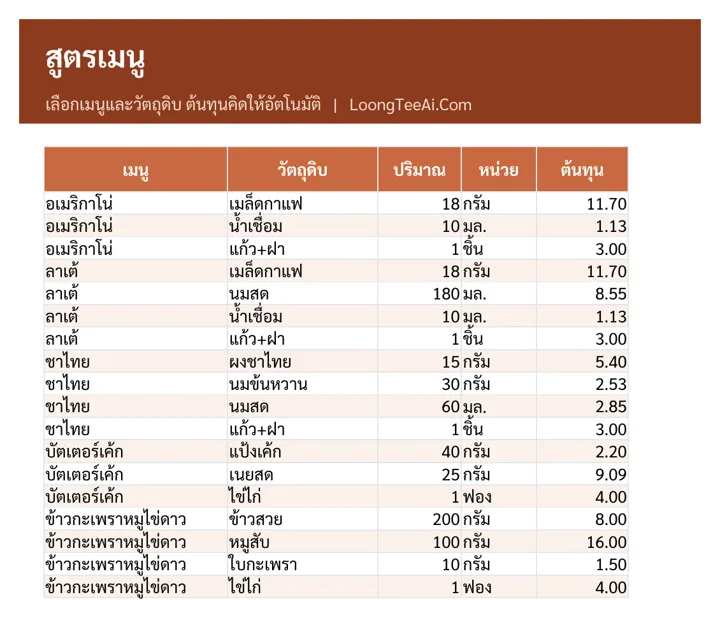
Recipes
Recipes
Menu and profit
Menu and profit

Who it is for

  • Restaurants and cafes
  • Bakeries and drink shops
  • Anyone opening a shop and setting prices

What you get out of it

  • Know the true cost of every dish
  • Price your menu with confidence
  • See how much profit drops when ingredient prices rise
  • Know which dishes earn the most

What is inside the file

How to useGetting-started steps, list of tabs and what the colors mean
IngredientsPurchase price, pack size and unit; the price per unit is calculated
RecipesPick a dish and its ingredients and enter amounts per serving; cost is calculated
Menu and profitPrice, cost per serving, profit per serving, food cost %, units sold and total profit
SalesDaily units sold per dish
DashboardTotal sales, gross profit, average food cost, units sold and profit by dish
SettingsUnits and menu categories

How to use it

  1. In "Ingredients", enter purchase prices and pack sizes
  2. In "Recipes", enter the ingredients and amounts for each dish
  3. In "Menu and profit", enter prices and check food cost % (aim for 35% or less)
  4. Enter daily sales and see top earners in "Dashboard"

What you receive

  • Excel file (.xlsx), 56 KB, ready to download right after payment
  • A Google Sheets link that makes your own copy in Google Drive, usable on mobile
  • Sample data on every tab so you can see how to fill it in, then replace it with yours
  • Built-in formulas, drop-downs and color alerts

Product reviews

No reviews yet