📣 Top up ฿1,000+ get 5% bonus · ฿3,000+ get 10% bonus

Excel/Sheets Templates

Ready-made templates with formulas for Excel and Google Sheets

เทมเพลต Excel/Sheets

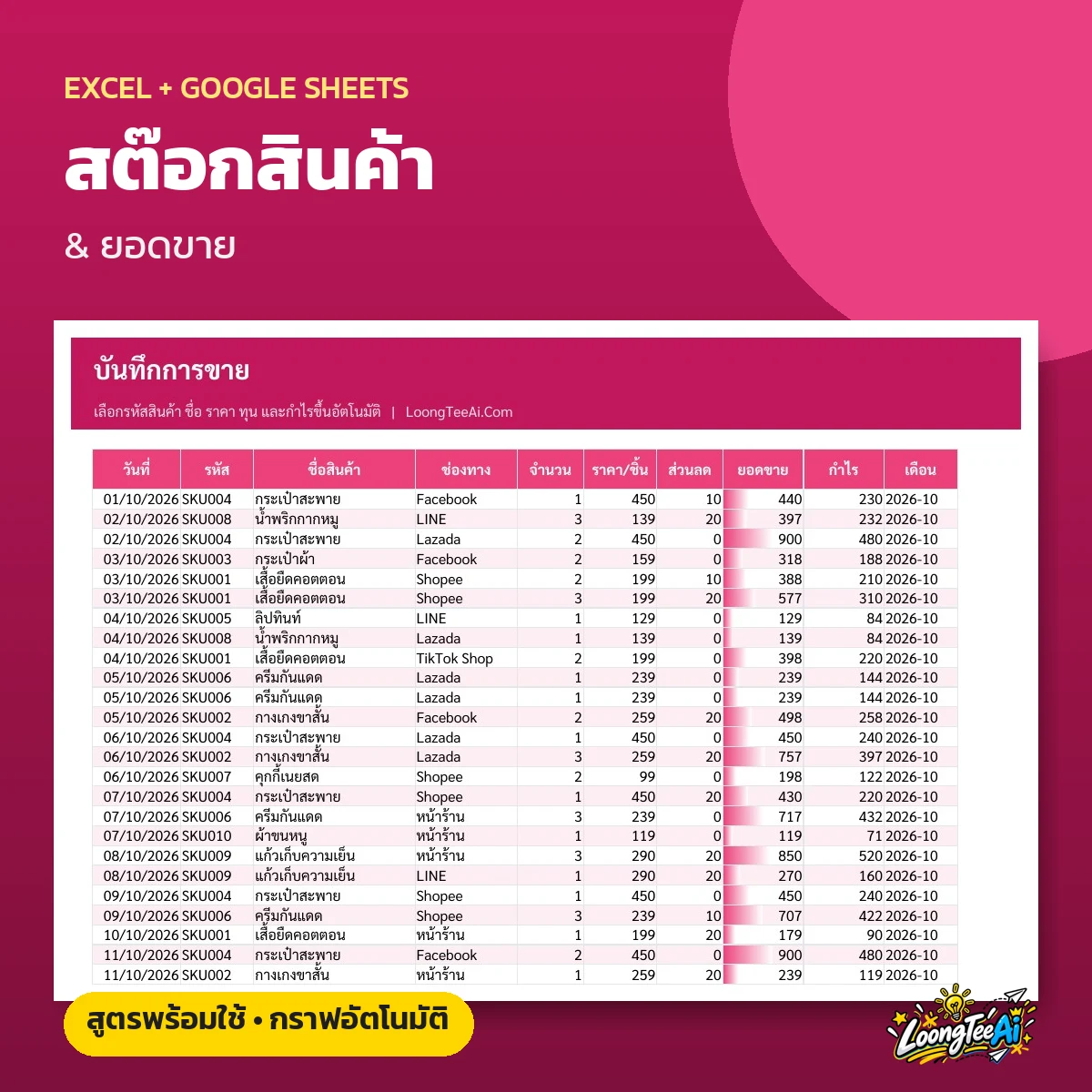
Stock & Sales Template

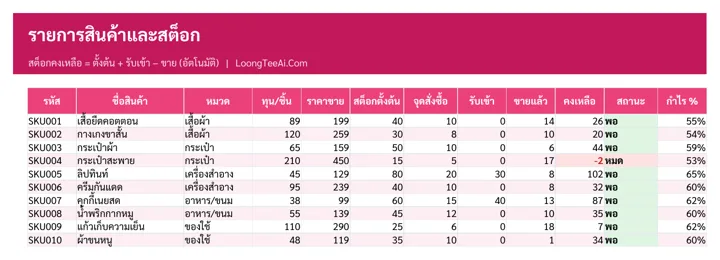
  • Product list with auto stock on hand
  • Low-stock alerts in red
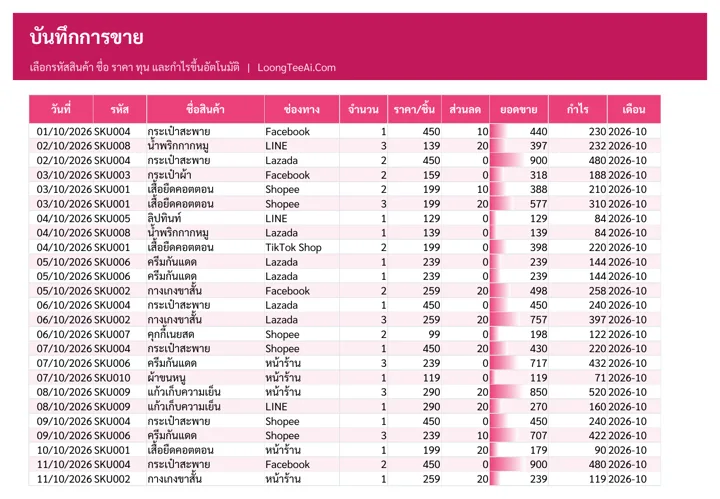
  • Stock-in and sales log with daily profit
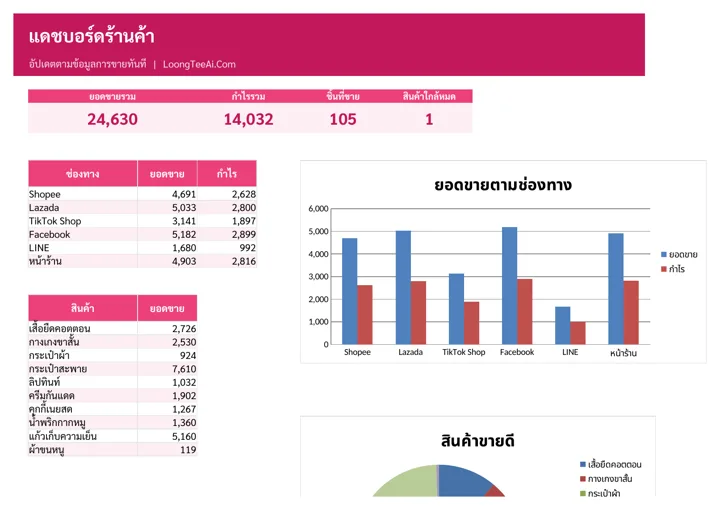
  • Sales dashboard with best sellers and charts
฿199Lifetime
 

About this template

A stock and sales tracker for online sellers. Log sales from Shopee, Lazada, TikTok, Facebook and LINE in one place; the file deducts stock, works out profit per sale and flags items that are running low.

Screenshots from the real file

Shop dashboard
Shop dashboard
Products and stock
Products and stock
Sales log
Sales log
Stock in log
Stock in log

Who it is for

  • Online sellers on several marketplaces
  • Small shops still counting stock by hand
  • Anyone who wants the real profit of each product

What you get out of it

  • Know the stock of every item without counting
  • See real profit per sale and per channel
  • Never miss a reorder: low stock turns red
  • Know which products sell best

What is inside the file

How to useGetting-started steps, list of tabs and what the colors mean
DashboardTotal sales, total profit, units sold, low-stock items, best sellers and sales by channel
ProductsCode, name, category, cost, price, opening stock and reorder point; remaining stock, status and margin % are calculated
SalesPick product code, channel, quantity and discount; name, price, sales and profit fill in
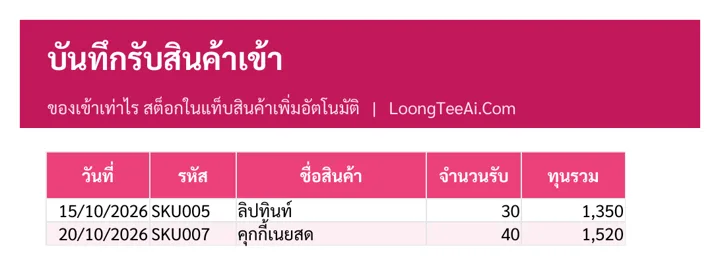
Stock inRecord incoming stock; remaining stock updates at once
SettingsEdit product categories and sales channels

How to use it

  1. In "Settings", edit categories and sales channels
  2. In "Products", enter code, name, cost, price and opening stock
  3. Log every sale in "Sales" and new stock in "Stock in"
  4. Check profit and best sellers in "Dashboard"

What you receive

  • Excel file (.xlsx), 57 KB, ready to download right after payment
  • A Google Sheets link that makes your own copy in Google Drive, usable on mobile
  • Sample data on every tab so you can see how to fill it in, then replace it with yours
  • Built-in formulas, drop-downs and color alerts

Product reviews

No reviews yet