📣 Top up ฿1,000+ get 5% bonus · ฿3,000+ get 10% bonus

Excel/Sheets Templates

Ready-made templates with formulas for Excel and Google Sheets

เทมเพลต Excel/Sheets

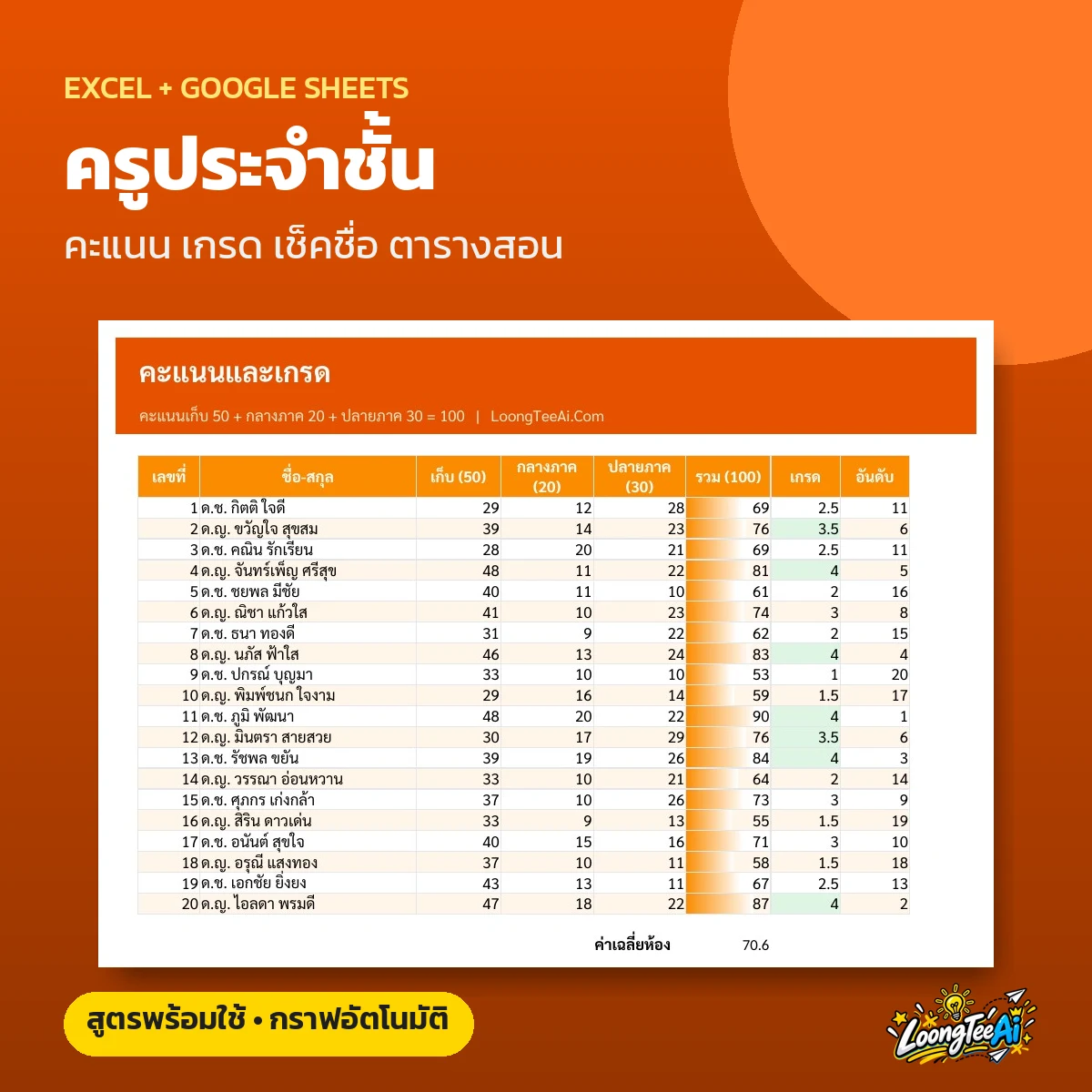
Teacher Template: Scores, Grades, Attendance

  • Coursework, midterm and final scores with auto grading
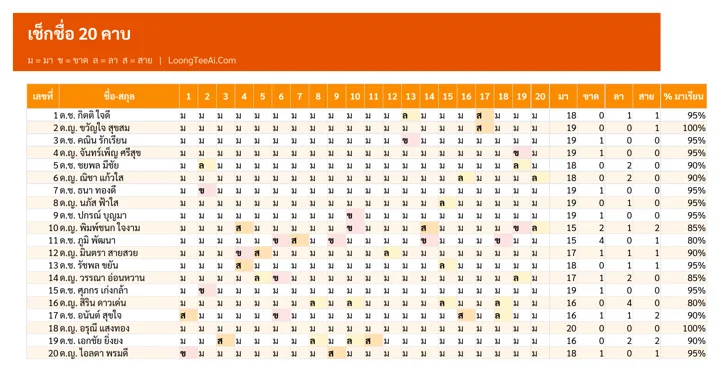
  • Daily attendance with % and red alerts below 80%
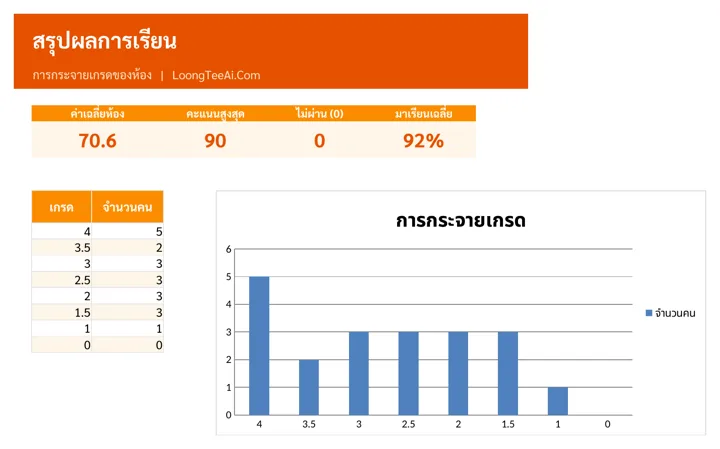
  • Class results summary with grade chart
  • Weekly timetable
฿199Lifetime
 

About this template

A file for teachers with the class list, scores, grades, attendance and timetable in one place. Enter student names once and they appear on every tab; totals, grades, ranks and attendance are calculated for you.

Screenshots from the real file

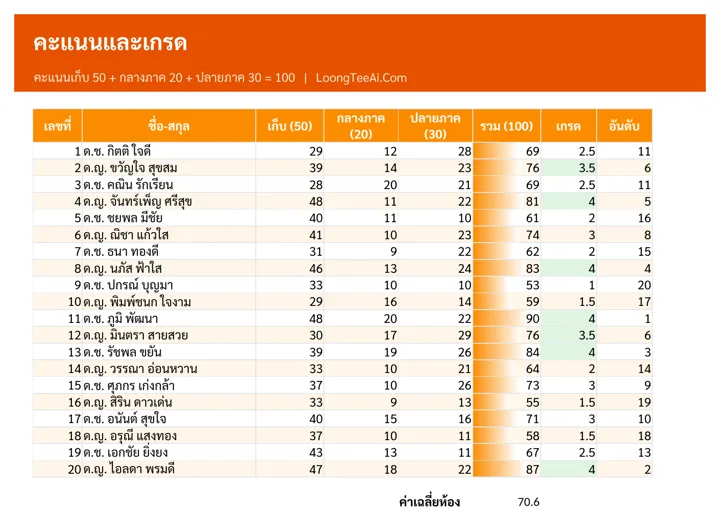
Scores and grades
Scores and grades
Attendance, 20 periods
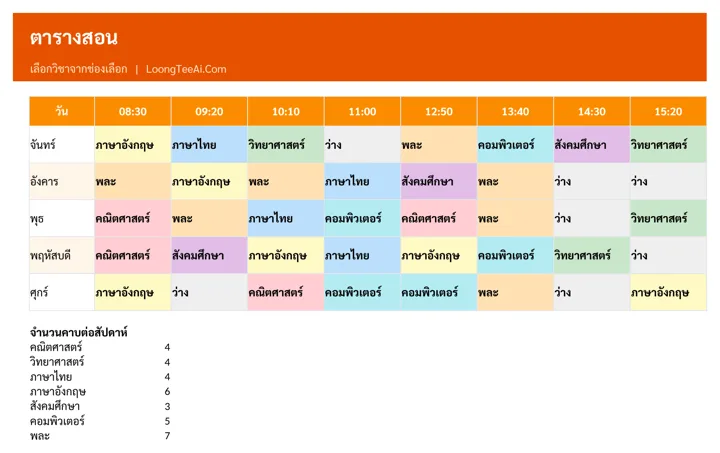
Timetable
Timetable
Class summary
Class summary

Who it is for

  • Subject and homeroom teachers
  • Tutors with several students
  • Teachers who want to spend less time on end-of-term grading

What you get out of it

  • Grades for the whole class as soon as scores are in
  • Spot students who miss class often
  • Everything for the class in one file
  • Reuse it every term

What is inside the file

How to useGetting-started steps, list of tabs and what the colors mean
Class listNumber, student ID and full name
ScoresCoursework 50, midterm 20, final 30, totalled to 100 with automatic grade and rank
AttendanceMark present, absent, leave or late for 20 periods; days and attendance % are counted
TimetableMonday to Friday, 8 periods; pick a subject per period and colors follow the subject
SummaryClass average, top score, number failing, average attendance and a grade distribution chart
SettingsGrade bands, subjects and attendance codes

How to use it

  1. In "Settings", edit grade bands and subjects
  2. In "Class list", enter numbers, IDs and names
  3. Enter scores in "Scores" and mark attendance in "Attendance"
  4. See the class overview in "Summary"

What you receive

  • Excel file (.xlsx), 56 KB, ready to download right after payment
  • A Google Sheets link that makes your own copy in Google Drive, usable on mobile
  • Sample data on every tab so you can see how to fill it in, then replace it with yours
  • Built-in formulas, drop-downs and color alerts

Product reviews

No reviews yet